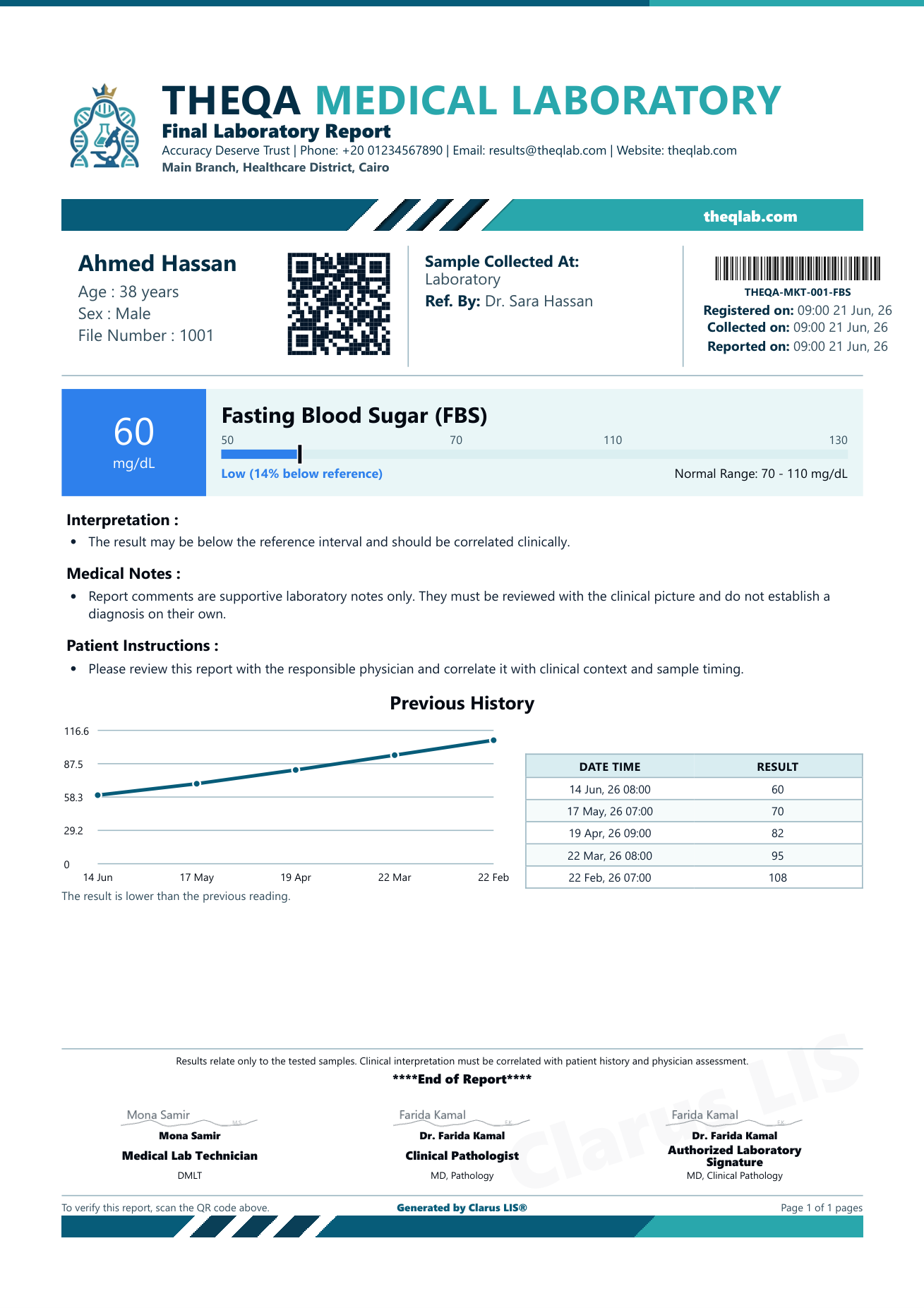

Clarus LIS prints the whole report itself: your laboratory's logo, name, contact details and address in the header, so no pre-printed paper is needed, and it saves the report as a PDF in one click. The sample images below were produced by the program with demo data; click any of them to enlarge it.
Every report carries your laboratory's logo, name, contact details and address in its header, so no pre-printed paper is needed. A laboratory administrator can change the report title, logo, colours and layout at any time.
The patient's name, age, sex and file number, the referring doctor, when the order was registered and when the report was issued, and the order barcode, on every report.
One button saves the report as a PDF on the laboratory's computer, to keep, send or hand to the patient.
The report is laid out on an A4 page, ready for the printer or for the PDF.
This fasting blood sugar report was produced by Clarus LIS with demo data. The laboratory's identity is at the top, then the patient's details with a QR code and a barcode, then the result and where it falls in its reference range, an interpretive note, the patient's previous results with a trend chart, and three signature places at the end.
A single result, a full panel, or a multi-page report: each layout below was produced by Clarus LIS.
The laboratory, patient and signature names in these samples are demo data, not a real laboratory or real patients.
A report of several pages built from the values the technologist enters, with charts drawn from those values. Microscope images the laboratory attaches are printed in the report as they are; the program does not analyse them.
Your logo, name, contact details and address in the header. The administrator changes the title, colours and layout at any time.
On single-test reports and on chemistry, drug-level and allergy panels, the report can show a colour-coded Low / Normal / High bar with a marker where the first flagged numeric result falls in its reference range.
When the patient has earlier results for the same test, the report can list them with their dates and, on a single-test report, draw a trend chart of up to ten previous values. This works for any numeric test, for example HbA1c or CRP.
L and H for a result outside its range, LL and HH for a critical value, the two in different colours.
The report prints an interpretive note with the results: your laboratory's own wording for a low or high result when it has one, or an interpretation the laboratory has written and approved in its knowledge library. Otherwise it prints a standard note based on the result's flag.
Every report ends with three signature places: the laboratory technician, the clinical pathologist and an authorised signatory. The laboratory sets each name, title and uploaded signature image, or leaves a blank line to sign by hand.
When your laboratory has an address the patient's phone can reach, every final report carries a QR code with a unique random code. Scanning it opens the laboratory's own current copy of that report, so a printed copy can be checked against it. The codes of an amended report are no longer valid for verification.
The report's headings and labels print in the language your laboratory sets for its reports, Arabic or English. Test names, units and reference values stay as science writes them.
An antibiotic-sensitivity table on the patient's report: S, I or R for each organism and antibiotic, with the MIC.
Once your laboratory has published its website, the patient scans the QR code on the report and reads it from anywhere.
The laboratory website and patients' resultsA 14-day free trial with every feature, on your laboratory's own computer.
Choose which categories of cookies Clarus LIS may use. Strictly necessary cookies are always on because the service cannot run without them. You can change these choices at any time.
Required for the service to work — your session, sign-in, and security (CSRF) protections. These cannot be switched off.
Remember choices such as your language and display currency so the site behaves the way you expect on every visit.
Help us understand, in aggregate, how the site is used so we can improve it. Privacy-friendly and never used for advertising.